Setting Up Signatures
What Is a Signature?
A signature is a block of text that automatically appears at the bottom of your emails. It typically includes your name, job title, contact details, and sometimes a company logo or disclaimer. Setting one up means you never have to manually type it out — it’s appended to every message you compose.
SmarterMail supports multiple signatures, so you can have different ones for different contexts — for example, a full professional signature for external emails and a shorter one for internal replies.
Accessing Signature Settings
Click on Settings in the top bar.
Select Signatures from the left-hand sidebar.
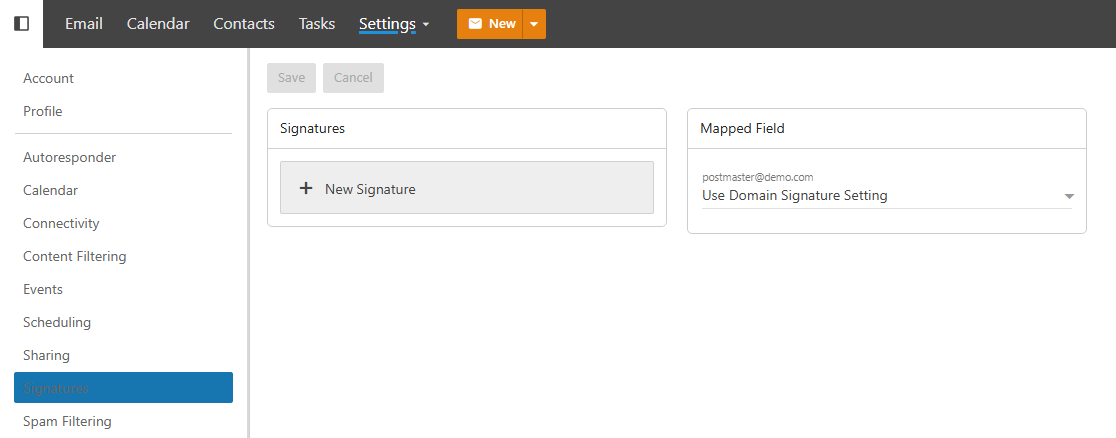
Creating a Signature
Click New Signature.
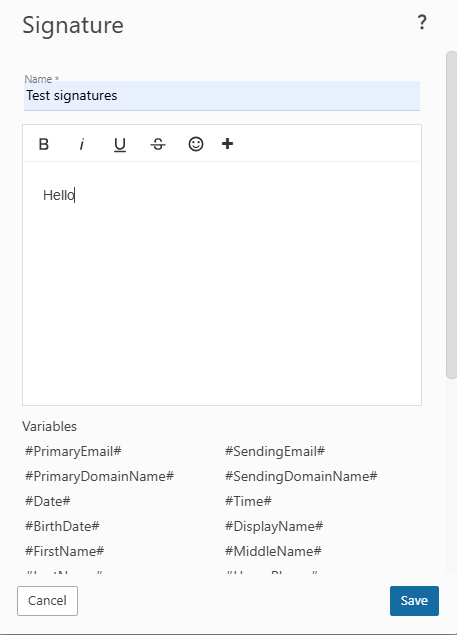
Give your signature a name so you can identify it when composing mail (e.g. “Professional”, “Short”, “Internal”).
Use the editor to build your signature. You can format text with bold, italics, and different sizes, add hyperlinks, insert images like a company logo, and structure your layout however you like.
Click Save when done.
Using a Signature When Composing
When writing a new email, you can select which signature to use directly from the compose window. Look for the signature selector and choose from any of the signatures you’ve saved.
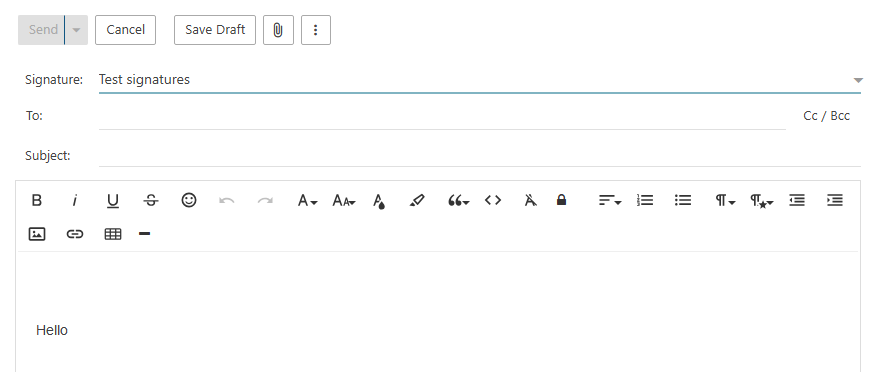
You can also switch signatures mid-compose or remove it entirely for a particular message — the choice is always yours on a per-email basis.
Tips for a Good Signature
- Keep it concise. A signature with your name, title, company, phone number, and website is usually enough. Long signatures with multiple disclaimers and banners can feel cluttered.
- Use a consistent format. Stick to one or two fonts and avoid excessive colors — your signature should complement your email, not distract from it.
- Include a link, not just an address. If you have a website or LinkedIn, hyperlink it rather than pasting the full URL.
- Be careful with images. Logo images may not display for recipients whose email client blocks external images by default. Always include a text fallback.
- Check how it looks in plain text. Some email clients strip HTML formatting, so make sure your signature is still readable without it.