Checking Mail Reports
What Are Mail Reports?
Reports give you visibility into the activity happening across your mail account. They provide statistics on disk usage, inbound and outbound messages, inbound spam caught, and viruses detected. It’s useful for spotting unusual activity, tracking mail volume trends, or just keeping an eye on your account’s health.
Accessing Reports
Click on Reports in the top bar of the mail page.
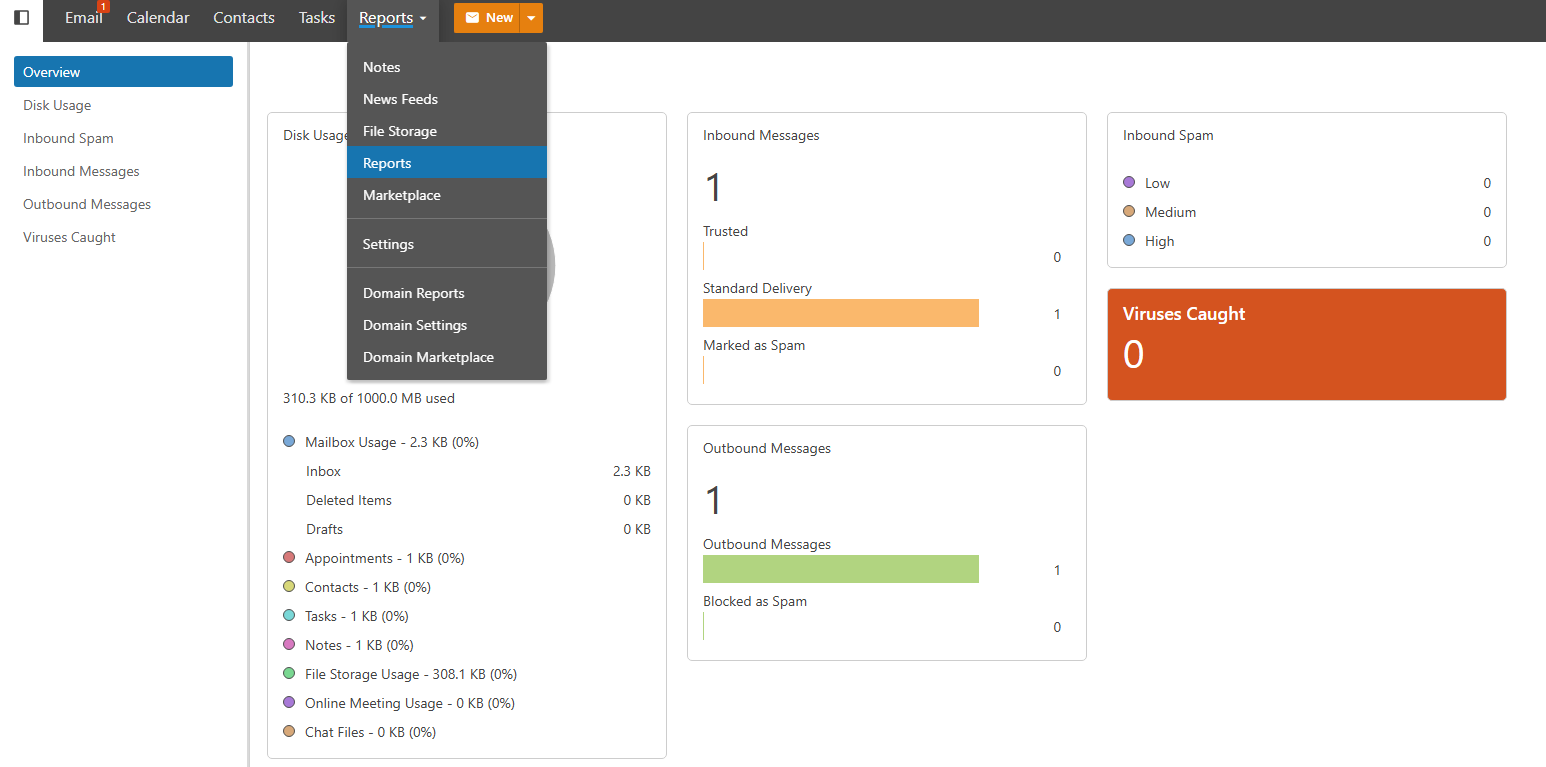
What’s in the Reports
Disk Usage Shows how much storage your account is consuming. Useful for knowing when you’re approaching your quota so you can clean up old emails or files before hitting the limit.
Inbound Messages A breakdown of all email received by your account over a given period. Helps you track mail volume and spot unexpected spikes that might indicate an issue.
Outbound Messages A record of all email sent from your account. If you notice outbound volume you don’t recognize, it could be a sign that your account has been compromised and should be investigated immediately.
Inbound Spam Shows how much spam was caught and filtered before reaching your inbox. A high number here is normal — it means the spam filters are doing their job.
Viruses Caught Displays any emails that were blocked because they contained a detected virus or malicious attachment. If this number is consistently high, it may be worth reviewing who is sending your account these messages.
Filtering Report Data
Most reports allow you to filter by date range so you can narrow down activity to a specific period. Use this to investigate a particular incident or review month-over-month trends.