Moving, Renaming, and Creating Folders
What Are Folders?
Folders help you organize your emails by grouping related messages together. You can create as many folders as you need, rename them to stay organized, and move emails into them to keep your inbox clean.
Creating a Folder
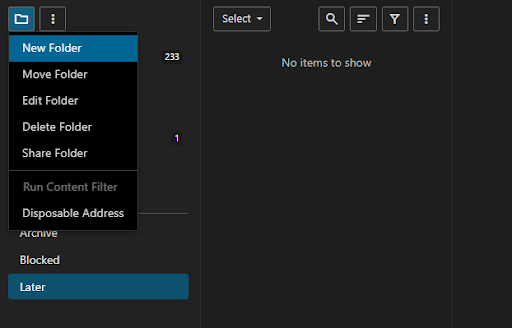
Click New Folder in the folder panel. A folder creation window will pop up.
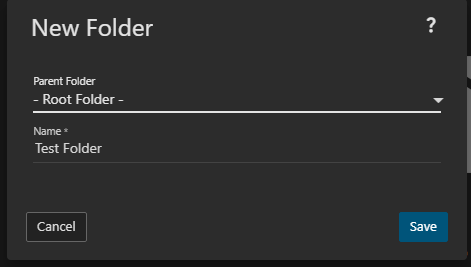
Give your folder a name and click Save. The folder will now appear in your folder list.
Renaming a Folder
Select the folder you want to rename from the folder panel.
Click Edit Folder. The same folder window will open with the current name pre-filled.
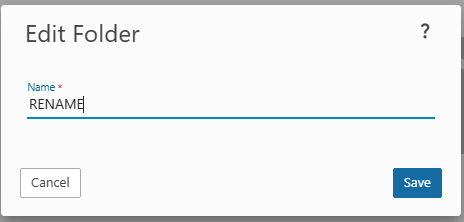
Update the name and click Save.
Moving a Folder
You can reorganize your folder structure by nesting folders under one another.
- Select the folder you want to move from the folder panel.
- Click Edit Folder.
- In the folder settings, change the Parent Folder to the folder you want to move it under. To move it back to the top level, set the parent to None.
- Click Save. The folder will now appear under its new parent in the folder list.
Moving Emails Into a Folder
To move emails into a folder, select one or more messages in your inbox, then either drag and drop them onto the target folder in the panel, or right-click and choose Move to Folder and select your destination.